Best Gaming Laptops 2027: Find the Right Laptop for You
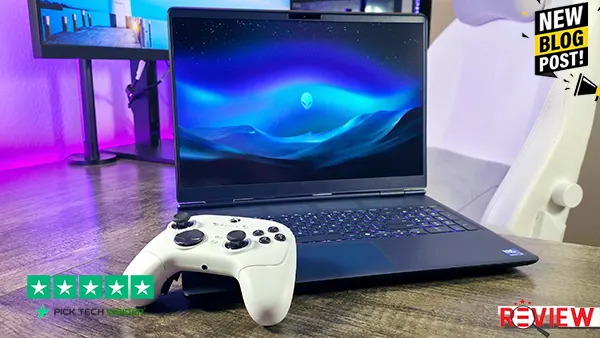
Choosing the right Best gaming laptops in 2027 can be harder than it looks. With so many models, graphics cards, screen sizes, and price ranges available, it’s easy to spend too much money on a laptop that may not match the way you actually play. That’s why we created this guide to the Best Gaming Laptops 2027 to help you find the right option for your needs and budget.
Whether you’re looking for a budget gaming laptop, a powerful machine for demanding AAA games, or a high-end laptop for competitive gaming, the right choice depends on more than just specifications. Gaming performance, display quality, storage, RAM, portability, and overall value all matter in everyday use.
In this best gaming laptop buying guide, we compare five carefully selected options at different price points. We’ll look at what each laptop does well, who it’s best for, and the main downside you should know before buying. So, if you’re searching for the best gaming laptop for 2027, a laptop for 1440p gaming, or a powerful gaming laptop that can also handle streaming and creative work, this guide can help you narrow down your choices and find the right laptop for you.
Table of Contents

5. Acer Nitro V 16 AI
If you’re looking for a budget gaming laptop that can handle modern games without pushing the price too high, the Acer Nitro V 16 AI is a solid starting point. The RTX 5050 delivers good 1080p gaming performance, and the 180Hz display feels especially smooth in faster games like Fortnite and Rocket League. Independent testing also found that it can handle demanding games such as Cyberpunk 2077 and Black Myth: Wukong with sensible settings adjustments.
Reasons to Buy:
- Strong value for budget-focused gamers
- Smooth 180Hz screen for competitive gaming
- Good 1080p performance
- 16-inch screen is useful for both gaming and everyday work
- Upgradeable storage and memory add flexibility
Reasons to Avoid:
The biggest weakness is the display quality. The high refresh rate is great for gaming, but color coverage is poor, so this isn’t the laptop I’d choose for serious photo or video work. The 512GB SSD can also feel small once you install several large games. WIRED
My verdict: If your priority is affordable gaming performance, the Nitro V 16 AI is a practical choice—but there are stronger options ahead if you can spend more.
4. Alienware 16 Aurora
If you want to move up from a budget gaming laptop, the Alienware 16 Aurora is a strong option to consider. Its RTX 5060 is well suited for 1080p gaming, while the sharp 16-inch 1600p display makes games, movies, and everyday work look much more detailed. In real-world testing, it handled demanding games well, although performance drops when you push the resolution all the way to 1600p.
Reasons to Buy:
- Great choice for gamers who want a sharper 16-inch screen
- Strong 1080p gaming performance
- Premium-looking design and solid build
- Good fit for gaming, school, work, and entertainment
- Customer feedback is also positive, with a 4.7/5 rating from 226 Best Buy reviews on one configuration.
Reasons to Avoid:
The main downside is the 120Hz refresh rate. Some cheaper gaming laptops offer faster screens, which can matter if you mainly play competitive games. It’s also around 5.5 pounds, so it isn’t exactly an easy laptop to carry around all day.
My verdict: If you want a sharp screen, solid gaming performance, and a more premium feel, the Alienware 16 Aurora is worth considering—but keep watching, because the next picks offer even more gaming power.
3. MSI Katana 15 HX
If you want to step into serious 1440p gaming, the MSI Katana 15 HX is where things get interesting. The RTX 5070 configuration pairs well with the sharp 165Hz QHD display, giving you a great balance of detail and smooth motion in both competitive and demanding games. The 32GB of memory is also useful if you game while streaming, keep lots of apps open, or do some creative work on the side. Current reviews generally position this configuration as a strong choice for high-resolution gaming and demanding everyday use.
Reasons to Buy:
- Excellent choice for QHD gaming
- Smooth 165Hz display for fast-moving games
- 32GB RAM is great for gaming and multitasking
- Strong fit for gamers who also stream or create content
- Useful ports and upgrade options add long-term value
Reasons to Avoid:
The biggest thing to consider is the RTX 5070’s 8GB of VRAM. That can become a limitation in some newer, demanding games, especially at higher settings. The fans can also get loud during heavy gaming, and battery life is much better suited to lighter work than long gaming sessions away from a charger.
My verdict: If you want sharp QHD gaming and strong overall performance without jumping to an even more expensive class of laptop, the Katana 15 HX is a very interesting pick—and the next two take things even further.
2. Acer Predator Helios Neo 18 AI
If you want a gaming laptop that feels more like a desktop replacement, the Acer Predator Helios Neo 18 AI is hard to ignore. The biggest reason is the huge 18-inch 2560×1600 display with a fast 240Hz refresh rate. That extra screen space makes a real difference when you’re gaming at a desk, watching movies, or working with multiple windows. The RTX 5070 Ti also gives this laptop plenty of gaming power, while 32GB of RAM and 2TB of storage make this particular configuration a great fit for demanding games, streaming, and heavy multitasking.
Reasons to Buy:
- Excellent choice for gamers who want a large screen
- Strong performance for demanding modern games
- 240Hz display is great for fast-paced gaming
- 32GB RAM and 2TB storage give you plenty of room
- 12GB VRAM is useful for high-resolution gaming
- Two SSD slots and two RAM slots give you room for future upgrades
Reasons to Avoid:
The biggest downside is portability. This is a large 18-inch laptop weighing around 7.3 pounds, so it’s much better suited to a desk than carrying around every day.
My verdict: If you want a powerful 18-inch gaming laptop with a huge, fast display and don’t care much about portability, this is one of the strongest choices on the list—and our number-one pick takes performance even further.
1. Lenovo Legion Pro 7i
If your main goal is maximum gaming performance, the Lenovo Legion Pro 7i is the laptop I’d look at first. This is not really a budget gaming laptop—it’s designed for people who want a high-end machine that can handle demanding games and heavy workloads without feeling held back. The RTX 5090 configuration, paired with the 16-inch 1600p 240Hz OLED display, gives you an excellent combination of power, sharp image quality, and smooth motion. Reviews have also praised the Legion Pro 7i for its top-level gaming performance and excellent OLED screen.
Reasons to Buy:
- Excellent choice for serious gamers who want top performance
- 240Hz OLED screen looks sharp, colorful, and very smooth
- Strong fit for demanding AAA games and high-resolution gaming
- Great for gaming, streaming, and heavy productivity work
- Premium build and plenty of ports make it useful beyond gaming
Reasons to Avoid:
The biggest issue is that this is a large, heavy, and expensive gaming laptop. Battery life is also not its strong point, especially when you’re gaming away from a charger. Under heavy performance modes, the fans can get noticeably loud too.
My verdict: If money is secondary and gaming performance comes first, the Legion Pro 7i is an outstanding high-end choice and a strong way to finish our list.
How to Choose the Right Best Gaming Laptops
Choosing the right gaming laptop is not just about buying the laptop with the biggest numbers. You need to match the laptop to the games you play, the way you use it, and your budget. Here are the most important things to check before buying.
1. Choose the Right GPU for Your Games
The GPU is one of the most important parts of a gaming laptop because it has a major impact on gaming performance. If you mainly play competitive games at 1080p, a mid-range GPU can be enough. If you want higher settings, 1440p gaming, or more demanding AAA games, spending more on a stronger GPU can make sense. Also remember that laptop GPUs generally cannot be upgraded later, so choose carefully.
2. Pick a Display That Matches Your Gaming Style
The screen can make a big difference in how your games feel. A 120Hz or higher refresh rate is a good starting point for smooth gaming, especially for fast competitive games. Higher resolution can make games look sharper, but it also puts more work on the GPU. If you mostly play single-player games, image quality may matter more than an extremely high refresh rate.
3. Get Enough RAM and Storage
For most gaming laptops, 16GB of RAM is a good target. If you stream, edit videos, multitask heavily, or want more room for future games, 32GB can be worth considering. Storage is just as important because modern games can take up a lot of space. Try to get at least a 512GB SSD, while 1TB is a much more comfortable choice if your budget allows.
4. Think About Size and Portability
A powerful gaming laptop is often larger and heavier because it needs better cooling. An 18-inch laptop can give you a much bigger gaming experience, but it may be difficult to carry every day. If you travel, study, or move between rooms often, a smaller 14- or 16-inch model may make more sense. If you mostly game at a desk, a larger laptop can be a better fit.
5. Consider Your Budget and Upgrade Options
Don’t spend your entire budget on one impressive specification while ignoring everything else. Look for a balanced combination of GPU, display, RAM, storage, and cooling. It’s also worth checking whether the laptop allows RAM or SSD upgrades, since adding storage or memory later can extend its useful life.
Final Verdict
Finding the best gaming laptop in 2027 really comes down to what you need and how much you want to spend. There isn’t one perfect laptop for everyone. A budget-friendly option like the Acer Nitro V 16 AI makes sense if you want solid 1080p gaming without spending too much, while the Alienware 16 Aurora offers a nice balance of gaming performance and a sharper display.
If you want stronger QHD gaming, the MSI Katana 15 HX is a good step up. For gamers who prefer a huge screen and mostly play at a desk, the Acer Predator Helios Neo 18 AI is a more powerful choice. And if budget is secondary and you simply want the highest level of gaming performance, the Lenovo Legion Pro 7i is our top pick.
Before buying, think about the games you play, your preferred resolution and refresh rate, how much storage you need, and whether you actually need to carry the laptop around. Most importantly, compare the latest price before checking out, because gaming laptop prices can change quickly.
Whatever your budget, the goal is simple: choose a laptop that gives you the performance you actually need without paying for features you won’t use.
Frequently Asked Questions
1. What is the best gaming laptop in 2027?
The best gaming laptop depends on your budget and how you plan to use it. For maximum gaming performance, the Lenovo Legion Pro 7i is our top choice from this list. It is designed for demanding games and high-end use. However, if you want something more affordable, the Acer Nitro V 16 AI offers a better balance for budget-conscious gamers.
2. How much RAM do I need for a gaming laptop?
For most gamers, 16GB of RAM is a good starting point for modern gaming and everyday multitasking. If you regularly stream games, edit videos, or run several demanding programs at once, 32GB can give you more breathing room. Before buying, also check whether the laptop allows RAM upgrades.
3. What GPU should I look for in a gaming laptop?
The GPU is one of the most important parts of a gaming laptop because it has a major effect on gaming performance. A mid-range GPU can be enough for 1080p gaming, while stronger GPUs are better suited to higher resolutions and demanding AAA games. Don’t compare GPU names alone—cooling and power limits can also affect real-world performance.
4. Is a 144Hz or 165Hz gaming laptop worth it?
Yes, especially if you play fast-paced or competitive games. A higher refresh rate can make movement look smoother and gameplay feel more responsive. For most gamers, 144Hz or 165Hz is already a very good range. You don’t necessarily need a 240Hz display unless your games and hardware can take advantage of it.
5. Is 512GB enough storage for a best gaming laptop?
A 512GB SSD can work if you only keep a few games installed, but it can fill up quickly because modern games can be very large. If your budget allows, 1TB of SSD storage is a more comfortable choice for gaming, applications, and personal files. It’s also worth checking whether the laptop has an additional SSD slot for future upgrades.

Hridoy Taqi
CEO & Founder at HridoyTaqi
Hridoy is a strategic problem solver who drives growth and revenue through innovative SEO and digital marketing strategies. With over 2 years of experience…..