Best Monitor for Fortnite in 2026: Specs That Actually Win

What’s up, guys? Today, we’re taking a look at the best gaming monitors for Fortnite in 2026. If you’re trying to improve your aim, react faster, and get smoother gameplay, choosing the right monitor can make a much bigger difference than most players realize.
In this guide, we’ve picked five Best Monitor for Fortnite that stand out for their refresh rates, response times, overall performance, and value for the money. Whether you’re looking for an affordable upgrade, planning to move to 1440p, or chasing the highest level of competitive performance, there’s an option here that fits your setup and budget.
The Best Monitor for Fortnite Havvy Gamers
We’ll break down what each monitor does well, who it’s best for, and any drawbacks you should know before spending your money. By the end of this video, you’ll have a much clearer idea of which gaming monitor is the right choice for your Fortnite setup. Alright, let’s get started.
Table of Contents
Koorui 27-inch 1440p 200Hz
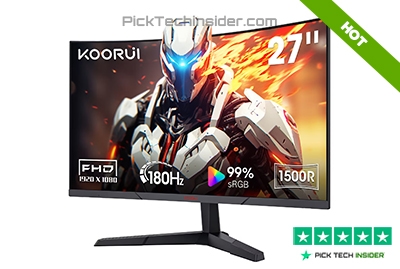
If you’ve been playing Fortnite on a basic 1080p monitor and you’re ready for a sharper, more detailed experience, the Koorui 27-inch 1440p 200Hz is a great place to start. The higher resolution makes builds, terrain, and distant players look much clearer, while the 200Hz refresh rate keeps gameplay feeling smooth during fast fights. It also supports Adaptive Sync, which helps reduce screen tearing for a more consistent experience.
This monitor is best for players with a mid-range or high-end gaming PC that can handle 1440p at high frame rates. If your system is powerful enough, you’ll enjoy a noticeable visual upgrade without giving up competitive performance.
The biggest downside is that 1440p is more demanding than 1080p. If your graphics card struggles to keep high FPS, you won’t get the full benefit of this monitor, especially in busy late-game matches.
Reasons to Buy:
- Sharp 1440p picture makes enemies and builds easier to spot.
- Smooth 200Hz gameplay with Adaptive Sync support.
- Excellent value for a high-refresh 27-inch gaming monitor.
Reasons to Avoid:
- Needs a capable PC to maintain high frame rates at 1440p.
- Larger 27-inch size may not suit players who prefer a smaller competitive setup.
My Verdict: If you’re ready to move beyond 1080p, this is one of the best-value 1440p gaming monitors for Fortnite without spending a fortune.
Alienware 27-inch 360Hz Gaming Monitor (AW2724HF)
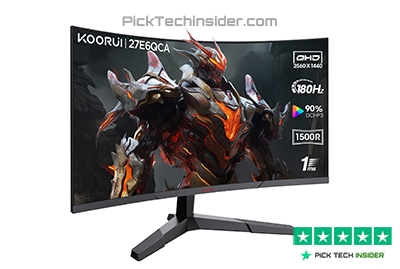
If you’re ready to take competitive Fortnite a little more seriously, the Alienware 27-inch 360Hz is a fantastic upgrade. This is the kind of monitor built for fast reactions, smooth tracking, and intense box fights where every frame matters.
The 360Hz refresh rate makes camera movement feel incredibly fluid, and the Fast IPS panel keeps the image looking sharp while delivering quick response times. It also supports Adaptive Sync to help reduce screen tearing during gameplay. It’s easy to see why Alienware monitors have earned a strong reputation among competitive gamers and esports players.
This monitor is best for players who already have a powerful PC and consistently push very high frame rates. If you’re chasing every competitive advantage without spending flagship money, it’s a strong choice.
The biggest downside is value. While 360Hz is smoother than 240Hz, the improvement isn’t nearly as dramatic as jumping from 144Hz to 240Hz. If your PC can’t deliver those extra frames, you’re paying for performance you won’t fully use.
Reasons to Buy:
- Extremely smooth 360Hz gameplay for competitive shooters like Fortnite.
- Fast IPS panel delivers quick response times while maintaining good image quality.
- Premium build quality with Adaptive Sync support for a smoother gaming experience.
Reasons to Avoid:
- Costs noticeably more than many excellent 240Hz monitors.
- You’ll need a high-end gaming PC to take full advantage of 360Hz.
My Verdict: If you’re serious about competitive Fortnite and your PC can keep up, this is one of the best 360Hz gaming monitors that balances speed, quality, and reliability.
BenQ ZOWIE XL2546K
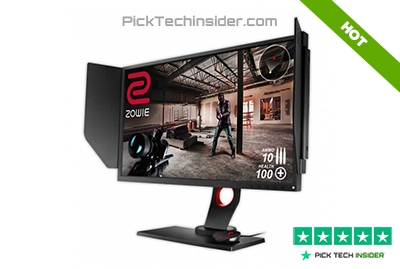
If your main goal is winning more fights instead of getting the prettiest picture, the BenQ ZOWIE XL2546K is one of the most trusted monitors in competitive gaming. This 24.5-inch 240Hz display is built with esports in mind, and its biggest advantage is BenQ’s DyAc+ technology, which helps reduce motion blur during fast camera movements.
That means it’s easier to keep track of opponents while building, editing, or making quick flicks in Fortnite. It also includes features like Black eQualizer for better visibility in darker scenes and an adjustable stand that’s easy to set up exactly how you like it. It’s no surprise this series has been a favorite among many professional esports players for years.
This monitor is best for competitive Fortnite players who care more about speed and motion clarity than vibrant colors or media watching.
The biggest downside is its TN panel. While it’s incredibly fast, the colors and viewing angles aren’t as rich as modern IPS or OLED monitors, so it’s not the best choice if you also spend a lot of time watching movies or editing videos.
Reasons to Buy:
- Outstanding motion clarity with DyAc+ for competitive gameplay.
- Trusted by esports players for fast, responsive performance.
- Adjustable stand and gaming-focused features like Black eQualizer.
Reasons to Avoid:
- TN panel doesn’t offer the same color quality as IPS or OLED displays.
- Focused almost entirely on competitive gaming rather than all-around entertainment.
My Verdict: If competitive Fortnite is your priority, the XL2546K remains one of the best esports monitors you can put on your desk.
ASUS ROG Strix XG248QSG Ace 24-inch 610Hz
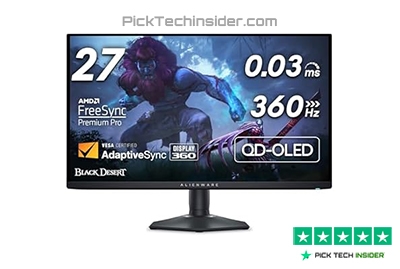
If you’re chasing every possible competitive edge in Fortnite and budget isn’t a concern, the ASUS ROG Strix XG248QSG Ace is built for exactly that. It’s designed for serious esports players who want the fastest screen available, with an incredible 610Hz overclocked refresh rate, an ultra-fast Super TN panel, and ASUS’s ELMB 2 technology to keep motion looking as clear as possible during intense box fights and fast edits. The compact 24-inch size also helps keep everything in your field of view, making it easier to react without constantly moving your eyes across the screen.
This monitor is best for competitive players with a top-tier gaming PC who are focused almost entirely on winning matches and improving reaction time.
The biggest downside is the price. It costs far more than excellent 240Hz and 360Hz monitors, and very few PCs can actually maintain frame rates anywhere close to 600 FPS in Fortnite. For most players, the difference won’t justify the extra cost.
Reasons to Buy:
- World’s fastest gaming monitor with up to 610Hz for maximum smoothness.
- Outstanding motion clarity thanks to ELMB 2 and extremely low input lag.
- Compact esports-focused design leaves more desk space for keyboard and mouse movement.
Reasons to Avoid:
- Very expensive compared to other high-refresh gaming monitors.
- You’ll need an extremely powerful PC, and most games—including Fortnite—won’t consistently reach 600 FPS.
My Verdict: If competitive Fortnite is your priority and you simply want the fastest monitor money can buy, this ASUS delivers an experience that’s hard to match.
MSI MAG 256F 24-inch 180Hz
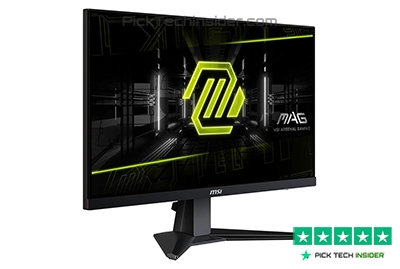
Taking the top spot is the MSI MAG 256F, and for most Fortnite players, it’s simply the smartest buy. You don’t have to spend hundreds of dollars to get a monitor that feels fast, responsive, and enjoyable every time you load into a match. Its 24-inch screen keeps the entire battlefield comfortably in view, making it easier to track opponents during quick edits and close-range fights.
The smooth 180Hz refresh rate and fast IPS panel deliver fluid gameplay, while the vibrant colors make everything from Creative maps to Battle Royale look clean and sharp. It also supports Adaptive Sync, helping reduce screen tearing for a more consistent gaming experience. If you’re upgrading from a 60Hz or 144Hz monitor, the difference in smoothness is immediately noticeable, and that’s why this monitor offers such incredible everyday value.
This monitor is best for players who want excellent competitive performance without spending premium money. Whether you’re grinding Arena, playing ranked matches, or just enjoying Fortnite with friends, it delivers a smooth experience that fits almost any gaming setup.
The biggest downside is that it isn’t built for players chasing extreme refresh rates like 360Hz or higher. If you’re a professional esports player with a top-end PC, you may eventually want something faster.
Reasons to Buy:
- Excellent value with smooth 180Hz gameplay for competitive gaming.
- Fast IPS panel offers better colors and viewing angles than traditional TN displays.
- Adaptive Sync support helps reduce screen tearing for a smoother experience.
- Great all-around choice for Fortnite, FPS games, and everyday use.
Reasons to Avoid:
- Doesn’t offer the ultra-high refresh rates of premium esports monitors.
- Competitive players seeking every possible advantage may prefer a 240Hz or 360Hz display.
My Verdict: If you want the best balance of performance, picture quality, and price, the MSI MAG 256F is the monitor I’d recommend to most Fortnite players.
Guide The END
That wraps up our picks for the best gaming monitors for Fortnite in 2026. The right monitor won’t instantly make you a better player, but it can give you a smoother, more responsive experience that helps you play at your best. Whether you’re looking for the best value, stepping up to 1440p, or chasing every possible competitive advantage, there’s a monitor on this list that fits your budget and your goals.
Before you make your final decision, think about your PC’s performance, the frame rates you can actually achieve, and how much you’re comfortable spending. A monitor that matches your system will always deliver a better experience than paying extra for features you can’t fully use.
If you found this guide helpful, be sure to check out the product links below to learn more about each monitor and compare the latest prices. Thanks for reading, and we’ll see you in the next buyer’s guide!
How to Choose the Right Gaming Monitor for Fortnite
Buying a gaming monitor isn’t just about choosing the highest refresh rate. The best monitor is the one that matches your PC, your budget, and the way you play. Here are the most important things to consider before making your decision.
1. Match the Monitor to Your PC Performance
Before buying a 240Hz, 360Hz, or even faster monitor, make sure your PC can actually produce those frame rates. If your system only averages around 120–160 FPS in Fortnite, spending extra on a 360Hz display won’t provide the full benefit. A monitor and GPU should work together for the best experience.
2. Choose the Right Resolution
Resolution affects both image quality and performance. A 1080p monitor is still the best choice for most competitive Fortnite players because it’s easier to achieve high frame rates. If you have a more powerful graphics card, a 1440p monitor offers noticeably sharper visuals while still delivering excellent competitive performance.
3. Pick a Refresh Rate That Fits Your Needs
A higher refresh rate makes gameplay look smoother and more responsive, especially in fast-paced games like Fortnite. For most players, 180Hz or 240Hz provides an excellent balance between performance and price. While 360Hz and above can offer a small competitive advantage, the improvement is much less noticeable unless your PC can consistently deliver extremely high frame rates.
4. Don’t Ignore Panel Type
The panel technology has a big impact on your gaming experience. IPS panels offer the best balance of fast response times, accurate colors, and wide viewing angles, making them the ideal choice for most gamers. TN panels remain popular among serious esports players because they’re optimized for speed and motion clarity, while OLED displays deliver incredible picture quality but usually cost much more.
Frequently Asked Questions
What refresh rate is best for Fortnite?
For most Fortnite players, a 180Hz or 240Hz monitor offers the best balance of smooth gameplay and value. If your PC can consistently produce very high frame rates, a 360Hz monitor can provide an even smoother experience. Monitors above 500Hz are mainly designed for professional esports players with top-tier hardware.
Is a 1440p monitor better than 1080p for Fortnite?
It depends on your PC. A 1440p monitor delivers sharper visuals and makes distant objects easier to see, but it also requires a more powerful graphics card to maintain high frame rates. If competitive performance is your top priority and your PC is mid-range, 1080p is still an excellent choice.
Should I choose an IPS, TN, or OLED monitor for competitive gaming?
Each panel type has its strengths. IPS monitors offer great color quality, fast response times, and wide viewing angles, making them the best all-around option for most gamers. TN panels are popular with esports players because of their excellent motion clarity and low latency. OLED monitors provide stunning picture quality and fast response times but are usually much more expensive.
Does a higher refresh rate improve Fortnite gameplay?
Yes, a higher refresh rate can make movement feel smoother and reduce motion blur, making it easier to track opponents during fast fights. However, you’ll only see the full benefit if your gaming PC can produce frame rates that match your monitor’s refresh rate.
What screen size is best for competitive Fortnite?
Most competitive players prefer a 24- or 25-inch monitor because it keeps the entire screen within your field of view, allowing you to react more quickly. A 27-inch monitor is also a great option, especially if you’re playing at 1440p and want a larger, sharper image without sacrificing too much competitive performance.

Hridoy Taqi
CEO & Founder at HridoyTaqi
Hridoy is a strategic problem solver who drives growth and revenue through innovative SEO and digital marketing strategies. With over 2 years of experience…..