Best Windows Laptop for Video Editing 2026
Looking for the best Windows laptop for video editing, but not sure which one is actually worth your money? With so many laptops claiming to be fast and powerful, it’s easy to end up with one that struggles during editing, takes forever to export videos, or simply doesn’t fit your workflow. That’s why choosing the right laptop is so important.
What’s up, guys? Today, we’re counting down the 5 best Windows laptops for video editing you can buy right now. Whether you’re a YouTuber, content creator, freelancer, or someone editing 4K videos for fun, we’ve picked laptops for different budgets and different editing needs.
We’ll compare their real-world performance, display quality, portability, battery life, and overall value, so you can find the one that’s right for you. ]
Table of Contents
5. Microsoft Surface Pro 11
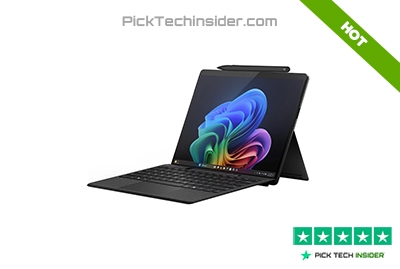
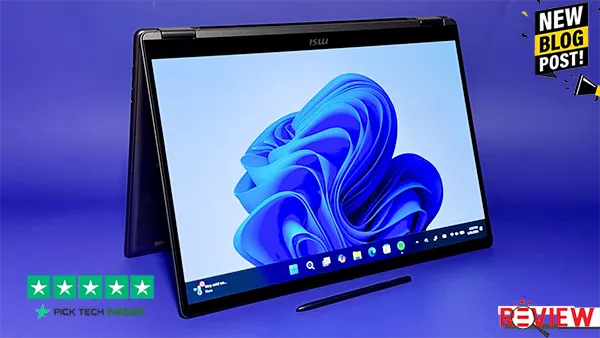
If you’re a video editor who spends more time traveling than sitting at a desk, the Microsoft Surface Pro 11 is a really smart option. Its lightweight 2-in-1 design makes it easy to carry, and switching between laptop and tablet mode is great for reviewing footage, making quick timeline changes, or sketching ideas with the Surface Pen.
The optional OLED display looks sharp with rich colors, making it enjoyable for editing and previewing videos. For YouTube content, social media projects, and light-to-medium editing, it feels fast and responsive. Just keep in mind that it’s not built for long, heavy 4K editing sessions or all-day export workloads like larger creator laptops.
The biggest drawback is the limited ports, and you’ll likely want the optional keyboard for serious editing. Overall, if portability is your top priority, the Surface Pro 11 is a flexible editing companion that’s easy to take anywhere.
Reasons to Buy
- Ultra-light and easy to carry anywhere
- Flexible 2-in-1 design for editing and note-taking
- Bright, colorful display that’s great for reviewing footage
- Smooth performance for everyday content creation
Reasons to Avoid
- Not the best choice for long, demanding 4K editing projects
- Limited built-in ports
- Keyboard is sold separately and is better for short sessions than all-day typing
4. ASUS TUF A16
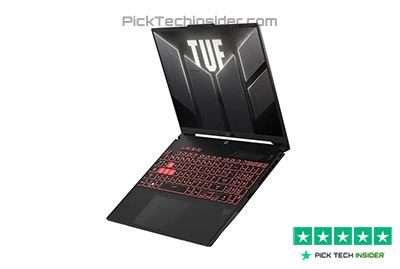
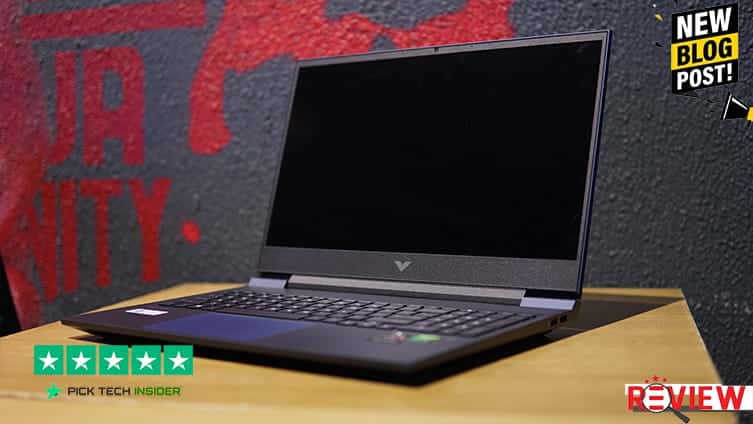
If you want a laptop that gives you excellent video editing performance without spending a fortune, the ASUS TUF A16 is one of the best values out there. Even though it’s built as a gaming laptop, it handles video editing just as well, making it a great choice for YouTubers, students, freelancers, and anyone working with 4K projects on a budget.
The large 16-inch display gives you plenty of room for your timeline, and the color quality is good enough for most editing work. It also has a comfortable keyboard, a wide selection of ports, and better battery life than many laptops in this class, so you don’t always have to stay plugged in.
The trade-off is that it’s thicker, heavier, and the fans can get noticeably loud during long rendering sessions. Still, if your priority is getting the most editing power for your money, the ASUS TUF A16 is an easy recommendation and a laptop you’ll enjoy using every day.
Reasons to Buy
- Excellent value for video editing and content creation
- Smooth performance for editing 4K videos and multitasking
- Large 16-inch display gives more room for your editing timeline
- Good battery life for a high-performance laptop
- Plenty of ports for drives, monitors, and other editing gear
Reasons to Avoid
- Heavier than most creator-focused laptops
- Cooling fans become loud during heavy editing and exporting
- Not the easiest laptop to carry if you travel every day
3. ASUS ProArt P16
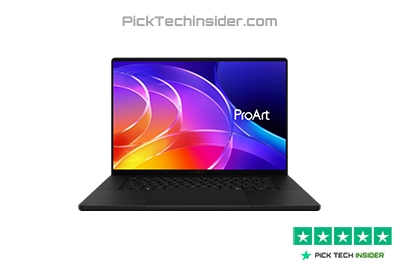
If video editing is a big part of your daily work, the ASUS ProArt P16 is one of the best Windows laptops you can choose. Unlike many gaming laptops, this one is designed with creators in mind. The beautiful OLED touchscreen delivers rich, accurate colors, making it much easier to edit videos with confidence.
One feature you’ll quickly appreciate is the ASUS Dial, which lets you scrub through your timeline, zoom in, or adjust settings more naturally in supported creative apps, helping speed up your workflow. It also stays smooth when you’re editing large projects, color grading, or working with multiple apps at once.
The biggest downside is the premium price, and the glossy display can reflect light if you’re working outdoors or in a bright room. Still, if you’re a YouTuber, filmmaker, or creative professional who spends hours editing every week, the ProArt P16 feels like a laptop built specifically for you. That’s why it’s one of my favorite Windows creator laptops available today.
Reasons to Buy
- Built specifically for video editors and creative professionals
- Gorgeous OLED display with excellent color accuracy
- ASUS Dial makes editing faster and more comfortable in supported apps
- Handles demanding editing, color grading, and multitasking with ease
- Premium build quality with a clean, professional design
Reasons to Avoid
- Premium price compared to many Windows laptops
- Glossy screen can show reflections in bright environments
- Fans may become noticeable during long, heavy rendering sessions
2. Apple MacBook Pro 14 (M4, 2024)
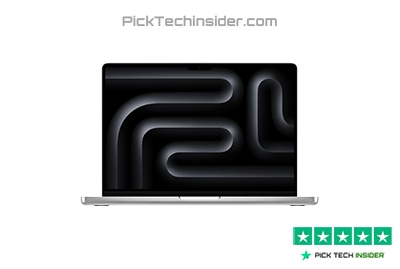
If you want professional-level video editing performance in a compact laptop, the Apple MacBook Pro 14 with the M4 chip is an outstanding choice. It handles multiple 4K video streams smoothly, making it a great fit for YouTubers, content creators, freelance editors, and anyone working on client projects.
The Liquid Retina XDR display is bright, sharp, and color-accurate, so it’s easy to trust what you see while editing. Battery life is another huge advantage, letting you work for hours without constantly looking for a charger. The only real drawback is that memory and storage upgrades can become expensive, so it’s worth choosing the right configuration from the start.
But if you want a laptop that stays fast, reliable, and enjoyable to edit on every day, the MacBook Pro 14 is an excellent long-term investment. And with one even more powerful option still ahead, don’t go anywhere.
Reasons to Buy
- Excellent performance for 4K video editing and multitasking
- Stunning Liquid Retina XDR display with outstanding color accuracy
- Long battery life for editing at home, in the office, or on the go
- Quiet operation, even during demanding creative work
- Premium build quality that feels built to last
Reasons to Avoid
- Memory and storage upgrades increase the price quickly
- Limited gaming support compared to Windows laptops
- Fewer ports than some creator-focused Windows alternatives
Personal Verdict: If you want a dependable laptop that combines speed, a beautiful display, and amazing battery life, the MacBook Pro 14 (M4) is one of the safest choices for serious video editing.
1. Apple MacBook Pro 14 (M5 Max)
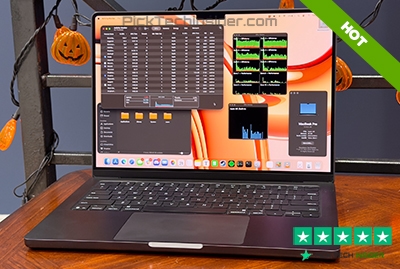
If your work depends on fast, reliable video editing every single day, the Apple MacBook Pro 14 with the M5 Max is the best laptop on this list. It’s built for professional creators who work with high-resolution footage, complex timelines, color grading, motion graphics, and long export sessions. Even when you’re juggling multiple creative apps at once, everything feels smooth and responsive, helping you spend more time creating and less time waiting.
The stunning Liquid Retina XDR display delivers outstanding brightness and color accuracy, making it easy to edit with confidence, while the impressive battery life lets you work almost anywhere without constantly searching for a power outlet. The biggest downside is the price, especially if you choose higher memory or storage options.
But if you’re a full-time YouTuber, filmmaker, or professional editor who needs top-level performance, it’s an investment that can pay off every day. For creators who want the very best editing experience, this is the laptop I’d choose.
Reasons to Buy
- Outstanding performance for professional video editing workflows
- Easily handles 4K, high-resolution, and demanding editing projects
- Beautiful Liquid Retina XDR display with excellent color accuracy
- Long battery life for editing at home or on the go
- Premium build quality with smooth, quiet everyday operation
- Great choice for full-time creators, filmmakers, and professional editors
Reasons to Avoid
- Very expensive, especially with higher memory and storage options
- More power than casual editors or beginners may actually need
- Upgrades can significantly increase the overall cost
Personal Verdict: If video editing is your career or your biggest passion, the MacBook Pro 14 with the M5 Max is one of the best long-term investments you can make.
So, those were our picks for the best laptops for video editing available right now. Whether you’re looking for a lightweight laptop for editing on the go, the best value for your budget, or a powerful machine for professional 4K and high-resolution video editing, there’s a great option on this list for every type of creator.
The best laptop for you really depends on your editing style, the software you use, and how much you’re ready to spend. Take a moment to think about what matters most—performance, display quality, battery life, or portability—before making your final decision.
How to Choose the Right Windows Laptop for Video Editing

Choosing the best Windows laptop for video editing isn’t just about buying the most expensive model. The right laptop depends on the type of videos you edit, your workflow, and your budget. Here are the most important things to consider before making your decision.
1. Choose Performance That Matches Your Editing Needs
The first thing to think about is how demanding your video projects are. If you mostly edit YouTube videos, social media clips, or Full HD footage, a mid-range laptop will usually be enough. But if you’re working with 4K videos, color grading, or multiple video layers, you’ll benefit from a more powerful machine that can keep everything running smoothly.
Buying more power than you need can waste money, while buying too little can slow down your editing experience.
2. Don’t Overlook the Display
A great display can make a huge difference when editing videos. Look for a laptop with a bright, sharp screen and accurate colors so your videos look the way you expect when they’re uploaded. A larger display, such as a 16-inch screen, also gives you more room for your editing timeline and preview window, making long editing sessions much more comfortable.
If color accuracy is important for your work, choosing a laptop with an OLED or other high-quality display is a smart investment.
3. Think About Portability and Battery Life
If you edit videos while traveling, working in coffee shops, or visiting clients, portability matters just as much as performance. A lighter laptop with long battery life lets you work almost anywhere without carrying a heavy charger all day.
On the other hand, if your laptop mostly stays on your desk, you may prefer a larger model that offers better cooling, more ports, and a bigger screen.
4. Buy for the Long Term
A video editing laptop is an investment that should last for years. Instead of choosing the cheapest option, think about how your editing needs might grow over time. As video resolutions increase and editing software becomes more demanding, having extra performance can help your laptop stay useful much longer.
The best value isn’t always the lowest price—it’s the laptop that continues to perform well as your creative projects become more advanced.
Frequently Asked Questions
What is the best Windows laptop for video editing?
The best Windows laptop depends on your editing needs and budget. If you’re a professional editor working with 4K or complex projects, the ASUS ProArt P16 is one of the best creator-focused Windows laptops available. If you’re looking for great performance at a lower price, the ASUS TUF A16 offers excellent value for most video editors.
How much RAM do I need for video editing?
For basic 1080p video editing, 16GB of RAM is usually enough. If you regularly edit 4K videos, use multiple applications at once, or work with complex timelines, 32GB or more will provide a smoother experience and better long-term performance.
Is a gaming laptop good for video editing?
Yes. Many gaming laptops are excellent for video editing because they combine powerful processors with dedicated graphics. Models like the ASUS TUF A16 can easily handle YouTube videos, 4K projects, and creative workloads while often costing less than dedicated creator laptops.
Can I edit 4K videos on a laptop?
Yes, but not every laptop is designed for it. For smooth 4K editing, choose a laptop with strong overall performance, enough memory, fast SSD storage, and a high-quality display. Creator-focused models like the ASUS ProArt P16 and high-performance laptops like the Apple MacBook Pro 14 are excellent choices for handling demanding 4K video editing workflows.

Hridoy Taqi
CEO & Founder at HridoyTaqi
Hridoy is a strategic problem solver who drives growth and revenue through innovative SEO and digital marketing strategies. With over 2 years of experience…..