Best Smart Door Locks 2026: 5 Picks That Are Actually Worth It
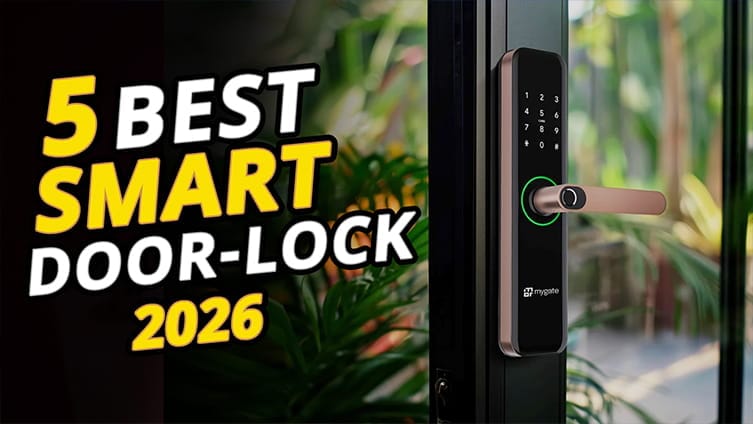
What’s up, guys? Today, we’re taking a look at the 5 best smart door locks you can buy in 2026. Choosing the right smart lock isn’t just about adding convenience to your home—it’s also about improving security and making everyday life a little easier.
Whether you want a simple, budget-friendly lock with reliable remote control, a traditional deadbolt that blends into your home, or a premium model packed with advanced features like fingerprint access, Apple Home support, or built-in smart home integration, we’ve got you covered.
In this guide, we’ll walk through our five favorite picks, explain what each one does best, highlight the real pros and the honest drawbacks, and help you figure out which option makes the most sense for your home and your budget.
The 5 Best Smart Door Locks
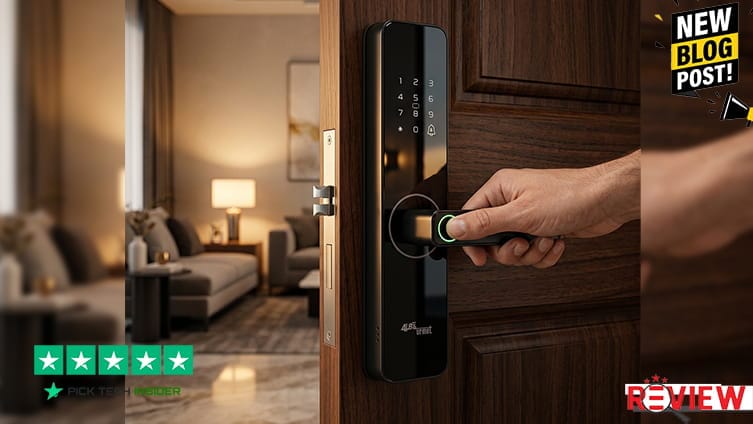
By the end of this roundup, you’ll know exactly which smart door lock is worth buying in 2026 and which one offers the best value for your money. So, without wasting any more time, let’s get started.
5. Wyze Lock Bolt V2
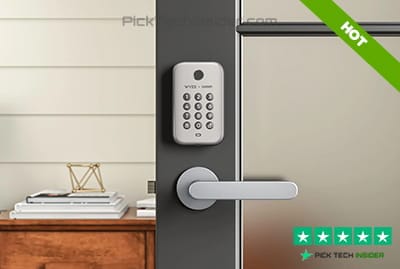
If you’re buying your very first smart lock or simply want the best value for your money, the Wyze Lock Bolt V2 is an easy recommendation. For around $80, it delivers features you’d normally expect from much more expensive locks.
The built-in Wi-Fi lets you check your lock, unlock the door remotely, and manage guest access from anywhere, while the fast fingerprint reader makes getting inside almost effortless. The tempered glass keypad also feels far more premium than its price suggests. Installation is simple, and the long battery life means you won’t be changing batteries very often.
Reasons to Buy
- Excellent value for the price.
- Built-in Wi-Fi with remote control—no extra hub needed.
- Fast, reliable fingerprint unlock.
- Easy app management for family and guest access.
- Long battery life with USB-C emergency power backup.
Reasons to Avoid
- No Apple HomeKit support.
Who is it best for?
Homeowners, renters, or families who want a dependable smart lock without spending hundreds of dollars.
My Verdict:
For budget-conscious buyers, this is one of the easiest smart locks to recommend. It gets the basics right, adds genuinely useful smart features, and leaves plenty of room in your budget for the rest of your smart home.
4. Yale Assure Lock 2
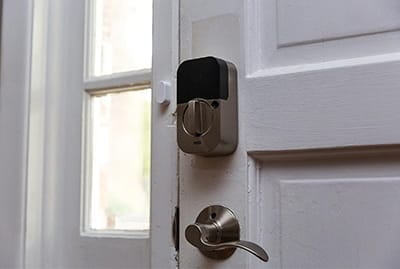
If you like the look of a traditional deadbolt but want modern smart features, the Yale Assure Lock 2 is a fantastic middle-ground option. One of its biggest strengths is flexibility. You can choose a touchscreen or physical keypad, keyed or key-free, and even start with Bluetooth before upgrading to Wi-Fi later. I also like the DoorSense feature, which checks whether your door is actually closed before auto-locking.
That’s a small detail that makes a big difference in everyday use. The Yale Access app makes it easy to share digital keys, create temporary codes for guests, and check who’s coming and going. It’s a smart lock that feels familiar while adding plenty of convenience.
Reasons to Buy
- Classic deadbolt design that fits almost any home.
- Multiple versions to match your budget and needs.
- DoorSense helps prevent the lock from engaging when the door isn’t fully closed.
- Supports Alexa, Google Assistant, and Apple Home integration, depending on the model.
- Easy to create and manage access codes for family, friends, or service workers.
Reasons to Avoid
- Battery life is shorter than some competitors, especially on Wi-Fi models.
Who is it best for?
Homeowners who want a trusted smart lock that looks like a regular deadbolt while offering dependable smart home features and room to upgrade later.
My Verdict:
The Yale Assure Lock 2 strikes an excellent balance between traditional style and smart convenience, making it one of the safest all-around choices for most homes.
3. Schlage Encode Plus
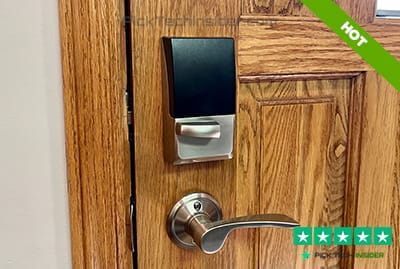
If security is your number one priority, the Schlage Encode Plus is one of the most trusted smart locks you can put on your front door. Schlage has been making locks for decades, and this model combines that reputation with modern smart features. Built-in Wi-Fi lets you lock or unlock your door from anywhere, create access codes for family or guests, and receive activity alerts without needing an extra hub.
If you’re an Apple user, this lock really shines thanks to Apple Home Key, allowing you to unlock your door with just your iPhone or Apple Watch. On top of that, it carries a BHMA Grade AAA rating, one of the highest residential security certifications available.
Reasons to Buy
- Outstanding build quality from a highly trusted lock brand.
- Built-in Wi-Fi with no additional bridge required.
- Apple Home Key support for quick, convenient entry.
- Excellent smart home compatibility with Apple Home, Alexa, and Google Assistant.
- Top-tier BHMA Grade AAA security and durability rating.
Reasons to Avoid
- More expensive than many other smart locks.
- No fingerprint sensor if you prefer biometric unlocking.
Who is it best for?
Homeowners who want maximum security, dependable remote access, and one of the best Apple Home experiences available today.
My Verdict:
If you want a smart lock you can install and trust for years, the Schlage Encode Plus is one of the safest investments you can make—and our top two picks still have some exciting features you won’t want to miss.
2. Eufy FamiLock S3 Max
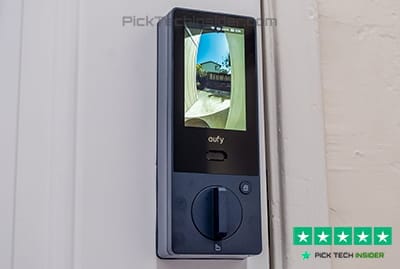
If you want more than just a smart lock, the Eufy FamiLock S3 Max is one of the most innovative options available today. It combines a smart lock, a 2K video doorbell, and a security camera into a single device, so you don’t have to install multiple products on your front door.
The biggest highlight is its palm vein recognition, which works quickly and reliably for adults, kids, and even people whose fingerprints are difficult to scan. The built-in interior display is another feature families will appreciate, letting anyone inside see who’s at the door without reaching for a phone. Local video storage also helps you avoid monthly subscription fees.
Reasons to Buy
- Smart lock, video doorbell, and security camera in one device.
- Fast and reliable palm vein unlocking.
- Sharp 2K camera with a wide view for visitors and packages.
- Built-in indoor screen is great for families and older adults.
- Local storage helps reduce or eliminate cloud subscription costs.
Reasons to Avoid
- Premium price compared to traditional smart locks.
Who is it best for?
Homeowners who want to upgrade their entire front-door security with one device instead of buying a separate smart lock and video doorbell.
My Verdict:
The FamiLock S3 Max is one of the smartest all-in-one front-door solutions on the market—and our number one pick takes everyday convenience even further.
1. Aqara Smart Lock U400 – Best Smart Locks
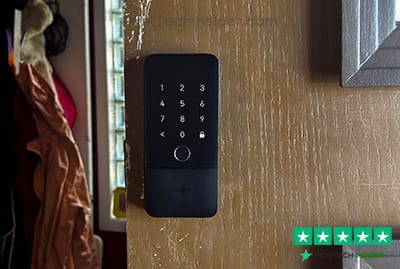
Taking the top spot is the Aqara Smart Lock U400, and it’s easy to see why. This lock delivers one of the smoothest smart home experiences available today. Its standout feature is Ultra-Wideband (UWB) unlocking with Apple Home Key. If you have an iPhone or Apple Watch, you simply walk up to your door and it unlocks automatically—no tapping, no pulling out your phone, and no entering a code.
In everyday use, it feels incredibly natural. Beyond that, you still get fast fingerprint access, a responsive touchscreen keypad, NFC support, remote app control, and broad Matter compatibility, making it a great fit for almost any modern smart home.
The rechargeable battery and USB-C charging are also welcome upgrades over disposable batteries. Reviewers consistently praise how reliable and seamless the UWB experience feels in daily use.
Reasons to Buy
- Hands-free UWB unlocking with iPhone or Apple Watch.
- Fast and accurate fingerprint reader with multiple unlock options.
- Matter over Thread support for Apple Home, Alexa, Google Home, SmartThings, and more.
- Rechargeable battery with convenient USB-C charging.
- Premium build quality and responsive everyday performance.
Reasons to Avoid
- Costs more than entry-level smart locks.
Who is it best for?
Apple users and smart home enthusiasts who want the most convenient, future-ready smart lock without sacrificing security or flexibility.
My Verdict:
If you want the smartest, most effortless front-door experience available in 2026, the Aqara U400 is the one I’d choose. It doesn’t just make your home smarter—it makes coming home feel effortless.
Final Advice
That wraps up our list of the best smart door locks you can buy in 2026. Whether you’re looking for an affordable upgrade like the Wyze Lock Bolt V2, a reliable traditional option like the Yale Assure Lock 2, a security-focused choice like the Schlage Encode Plus, an all-in-one solution like the Eufy FamiLock S3 Max, or the future-ready Aqara Smart Lock U400, there’s a smart lock here for every home and budget.
Before you make your final decision, think about what matters most to you. Do you want the lowest price, the strongest security, seamless Apple Home integration, or advanced features like fingerprint or palm vein unlocking? Choosing the right smart lock is all about finding the one that fits your daily routine and your smart home setup.
We hope this guide helped make your decision a little easier. If you have questions about any of these smart locks or you’ve been using one that deserves a spot on this list, let us know in the comments. Thanks for reading, and be sure to check back for more in-depth buyer’s guides, hands-on reviews, and the latest smart home recommendations.
How to Choose the Right Smart Door Lock
Buying a smart door lock is about more than replacing your keys. The right model should match your home’s security needs, work with your smart home devices, and make daily life more convenient. Here are the most important things to consider before you buy.
1. Choose a Lock That Fits Your Smart Home
Before looking at features, make sure the lock works with the devices you already own. If you’re an Apple user, look for Apple Home Key support. If your home runs on Alexa or Google Assistant, choose a lock that integrates with those platforms. Newer locks with Matter support are an excellent choice because they work across multiple smart home ecosystems and are more future-proof.
Best for:
- Apple users: Apple Home Key-compatible locks
- Alexa users: Alexa-enabled locks
- Mixed smart homes: Matter-compatible locks
2. Pick the Unlock Method You’ll Use Every Day
The best smart lock is the one that’s easiest for your family to use. Fingerprint readers are fast and convenient, while keypad PINs are perfect for children, guests, or service workers. Some premium models even offer palm vein recognition or hands-free unlocking using your phone. Think about who will be using the lock every day before choosing advanced features you’ll rarely use.
Popular access options include:
- Fingerprint scanner
- PIN keypad
- Smartphone app
- Apple Home Key or NFC
- Physical backup key
3. Focus on Security and Reliability
Convenience is important, but security should always come first. Look for locks with recognized BHMA or ANSI security certifications, encrypted communication, and automatic locking features. Models that let you monitor lock activity, receive tamper alerts, and create temporary access codes also add an extra layer of protection for your home.
A secure smart lock should offer:
- Strong residential security certification
- Auto-lock capability
- Activity history
- Temporary guest access
- Emergency backup entry
4. Consider Installation and Battery Life
Not every smart lock installs the same way. Some replace your existing deadbolt, while others work with the hardware you already have. Also, check how the lock is powered. Most use AA batteries, while newer premium models feature rechargeable batteries with USB-C charging. Longer battery life means less maintenance and fewer surprises.
Before buying, check:
- Door compatibility
- Installation difficulty
- Battery life
- Emergency power option
- Backup key availability
Choosing the right smart door lock comes down to finding the best balance between security, convenience, compatibility, and long-term reliability. A lock that fits your lifestyle today will continue to protect your home for years to come.
Frequently Asked Questions
1. Are smart door locks as secure as traditional deadbolts?
Yes. A high-quality smart lock can be just as secure as a traditional deadbolt when it’s installed correctly. Many premium models meet ANSI/BHMA security standards, use encrypted communication, and include features like auto-locking, tamper alerts, and activity logs. For the best protection, always choose a trusted brand and keep the lock’s firmware up to date.
2. What happens if the smart lock battery dies?
Most smart locks warn you well before the battery is completely drained. If it does run out, many models include a physical backup key, while others offer an emergency USB-C or 9V power connection so you can temporarily power the lock and unlock the door without replacing the batteries immediately.
3. Can I control my smart lock when I’m away from home?
Yes, but it depends on the model. Smart locks with built-in Wi-Fi let you lock or unlock your door, check its status, receive notifications, and manage guest access from anywhere using a smartphone app. Some Bluetooth-only models require an additional Wi-Fi bridge or hub for remote access.
4. Do smart door locks work with Alexa, Google Home, or Apple Home?
Most modern smart locks support at least one major smart home platform. Many premium models work with Amazon Alexa, Google Home, and Apple Home, while newer Matter-compatible locks can connect to multiple ecosystems at the same time. Always check compatibility before buying to ensure it works with your existing smart home setup.
5. Is a fingerprint smart lock better than a keypad lock?
It depends on your needs. A fingerprint lock offers faster and more convenient access because you don’t have to remember a code. A keypad lock is great for families, guests, cleaners, or delivery services since you can create and share temporary PIN codes. Many of the best smart locks combine both options, giving you the flexibility to use whichever method is most convenient.

Hridoy Taqi
CEO & Founder at HridoyTaqi
Hridoy is a strategic problem solver who drives growth and revenue through innovative SEO and digital marketing strategies. With over 2 years of experience…..